
AI map chat makes a published map more interactive by letting visitors ask questions about the places it displays. With Ask Kaleidr, visitors can discover named locations, explore relevant details, and view results directly on the map rather than switching between search results and map markers. Responses appear alongside the map, with relevant locations highlighted when supported. Visitors do not need a Kaleidr account, and publishers do not need to expose an API key on their websites.
This guide explains how AI map chat works in Kaleidr Studio, which places it can reference, how to publish it, and what to consider before making a map available to visitors.
What is AI map chat on a published map?
AI map chat is the Ask Kaleidr experience available on maps created with Kaleidr Studio. It allows visitors to ask questions in natural language while staying within the published map experience. Instead of inspecting every marker individually, they can ask about destinations, points of interest, or directions and explore the places relevant to their request.
In the Studio map editor, the Kaleidr AI tile provides two independent controls. Control Tower enables the Ask Kaleidr chat panel. Popup Window enables a place information card with chat when someone selects a location on the map. You can enable either option or both, and the selected settings are saved with the map for use in Studio and on the published version.
A map becomes publicly accessible when you select Go Live on the Publish & embed page. You can then share it through a link or embed it on a website using an iframe or viewer element. The published map's ID authorizes the AI experience, so no Kaleidr API key needs to appear in the page code. AI usage is charged to the organization that owns the map, including organizations on the Free plan.
Which places can AI map chat reference?
AI map chat can use named points included in the published map. Eligible locations come from three sources: map markers with a name, title, or label; points defined directly in the map with a name, title, or label property; and dataset rows with point coordinates and a mapped Name column. When available, Category and Description fields provide additional context for responses.
A location must have both a recognizable name and point coordinates to be considered. Unnamed points are excluded, as are dataset rows without valid point locations. Lines and areas can still appear visually on the map, but they are not treated as places for AI map chat. Only datasets included in the published map contribute place information. For publishers, the principle is straightforward: Give every location you want visitors to discover a clear, public-facing name and a valid point on the map.
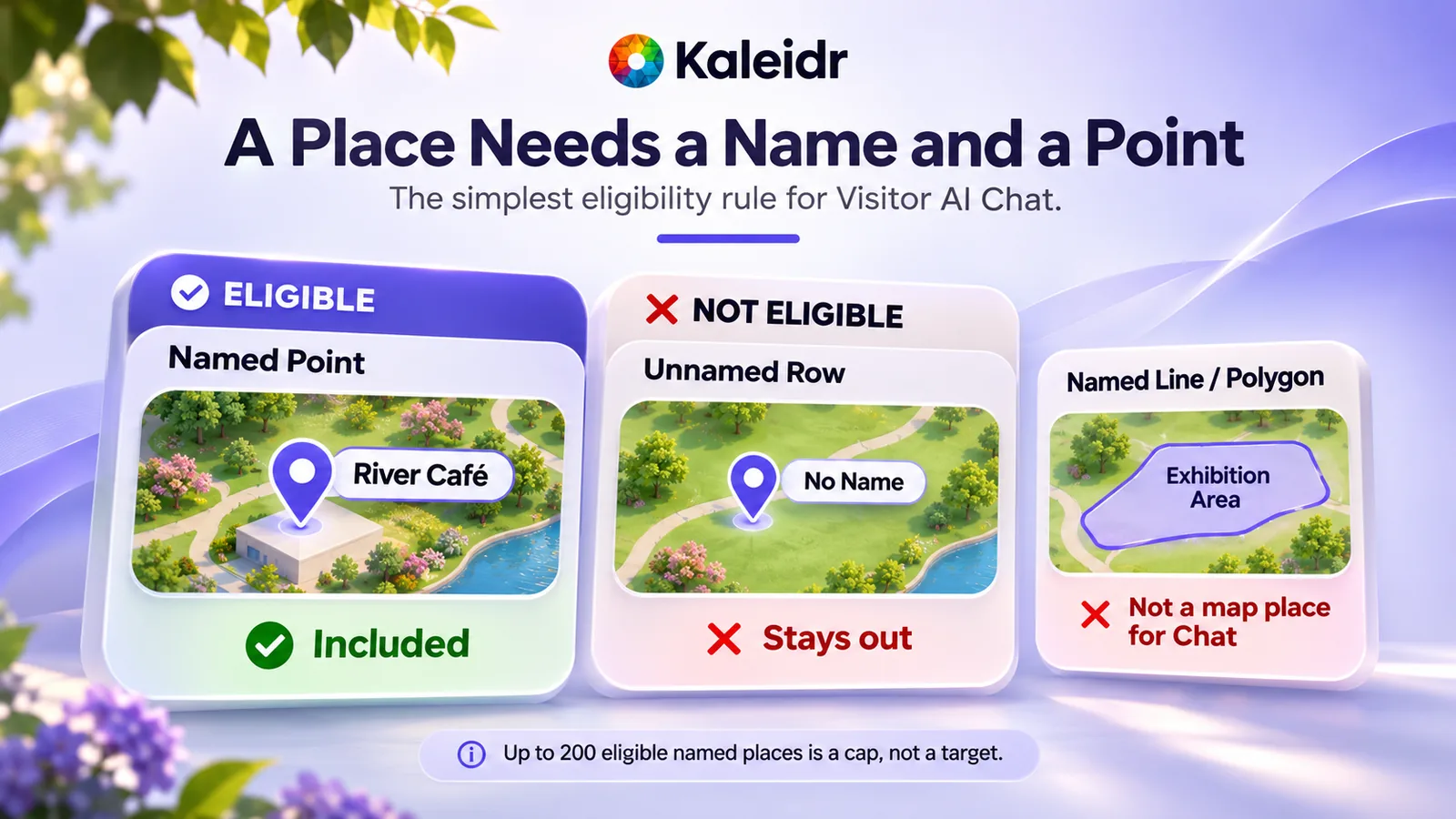
AI map chat recognizes eligible named points. Unnamed points and lines may appear on the map but are not included as conversational places.
According to Kaleidr's published-map documentation, AI map chat currently reads up to 200 named points per published map. Locations are considered in a defined order: markers first, directly defined map points second, and dataset rows third. Points beyond this limit are not included in the information available to the chat. The limit describes how many places can be read; it is not a recommended map size or a performance guarantee (Kaleidr, 2026).
Map-based place answers are currently enabled for published maps and share links by default. Map-based place answers have no separate switch in Studio or in the embed code. Kaleidr can disable them platform-wide; if that happens, Ask Kaleidr can still answer general questions but will no longer reference the map's markers, layers, or datasets. Because names, categories, and descriptions may be quoted directly in responses, include only information suitable for public viewing.
How does the visitor experience work?
A visitor might ask which attractions are shown near a neighborhood, request more information about a particular destination, or look for directions between places on the map. Rather than presenting an unrelated list of search results, Ask Kaleidr can connect its response to locations already included in the published map. For questions about the map's places, eligible map data takes priority. The response uses the names and coordinates associated with those locations. General knowledge may add useful context, but it does not turn an unrelated location into part of the publisher's mapped collection. Visitors can also ask broader questions that are not specific to the published locations.
The interaction remains connected to the map. Responses stream into the chat panel; relevant locations can be highlighted, and the map view can adjust to show the places mentioned. Visitors can select a place to open its information card or use Directions to display a route. When the chat closes, its temporary markers and route are removed without changing the published map's underlying content.
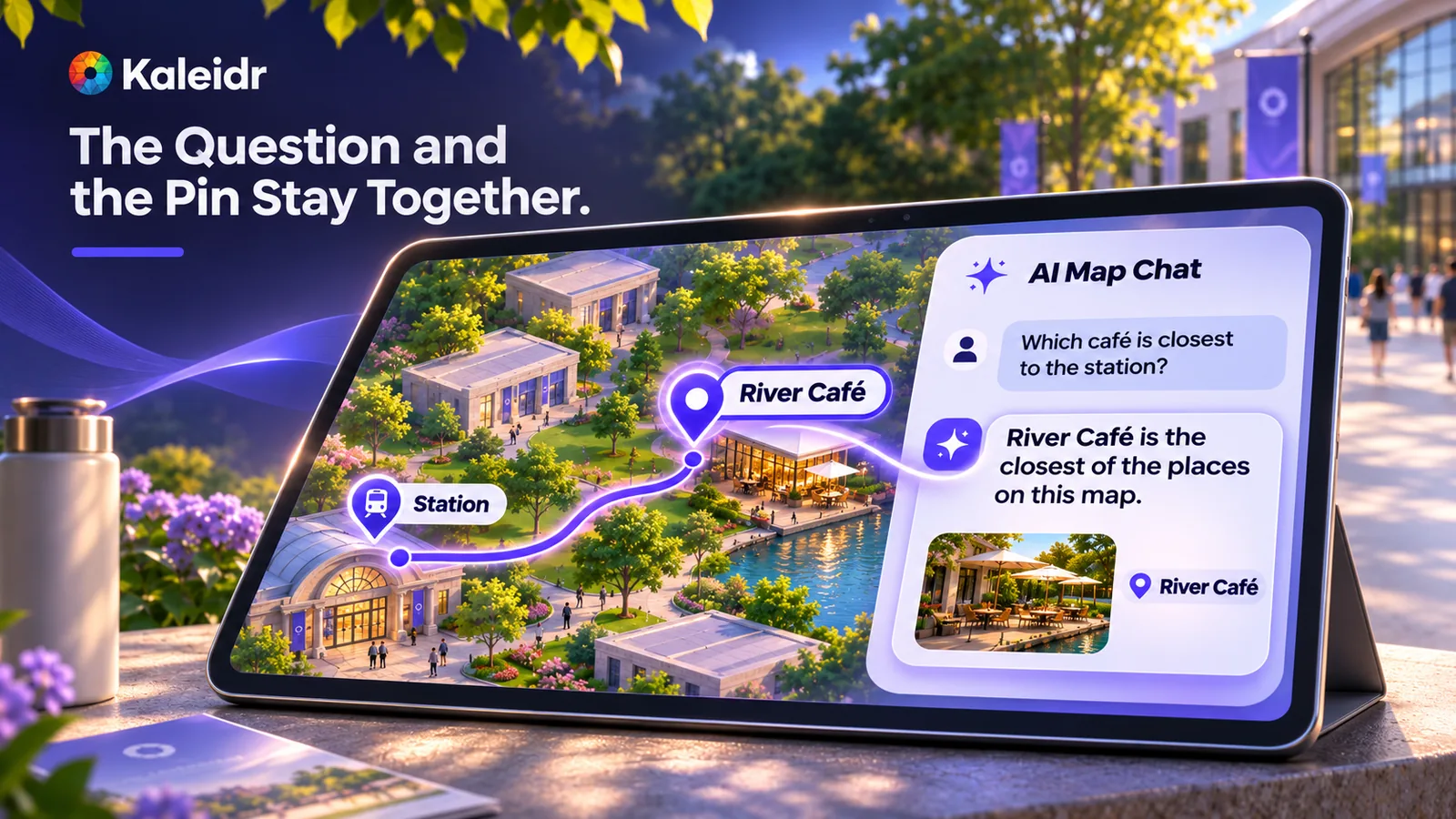
Visitors can ask about a location and explore the corresponding place on the same map. Place names, distances, and times shown in this illustration are examples, not live results or measured performance.
Best practices for preparing your map
The most useful published maps prioritize clarity over the number of markers. A hotel neighborhood guide, event map, or store directory becomes easier to explore when each location has a meaningful name, an appropriate category, and a concise description. The 200-point limit is a maximum, not a target. A smaller, carefully selected collection may be more useful than a crowded map containing many similar or incomplete entries.
The number of places included in an individual AI response can also be smaller than the total available to the panel. When an answer reaches its available space, later entries in the processing order may not appear, even though they remain visible on the map. Prioritize the locations most relevant to your visitors and avoid unnecessary duplication.
Write location details for the people using the map. For example, "Independent bookstore specializing in architecture, design, and local history" helps a visitor understand what makes a place relevant. An internal instruction such as "Contact the manager before sending VIP guests" does not belong in a public description. Any published text may be visible to visitors or repeated in an AI response. Your map should also be understandable without chat. Clear names, categories, and visual organization help visitors navigate the map independently and ensure it remains useful if map-based AI answers are unavailable.
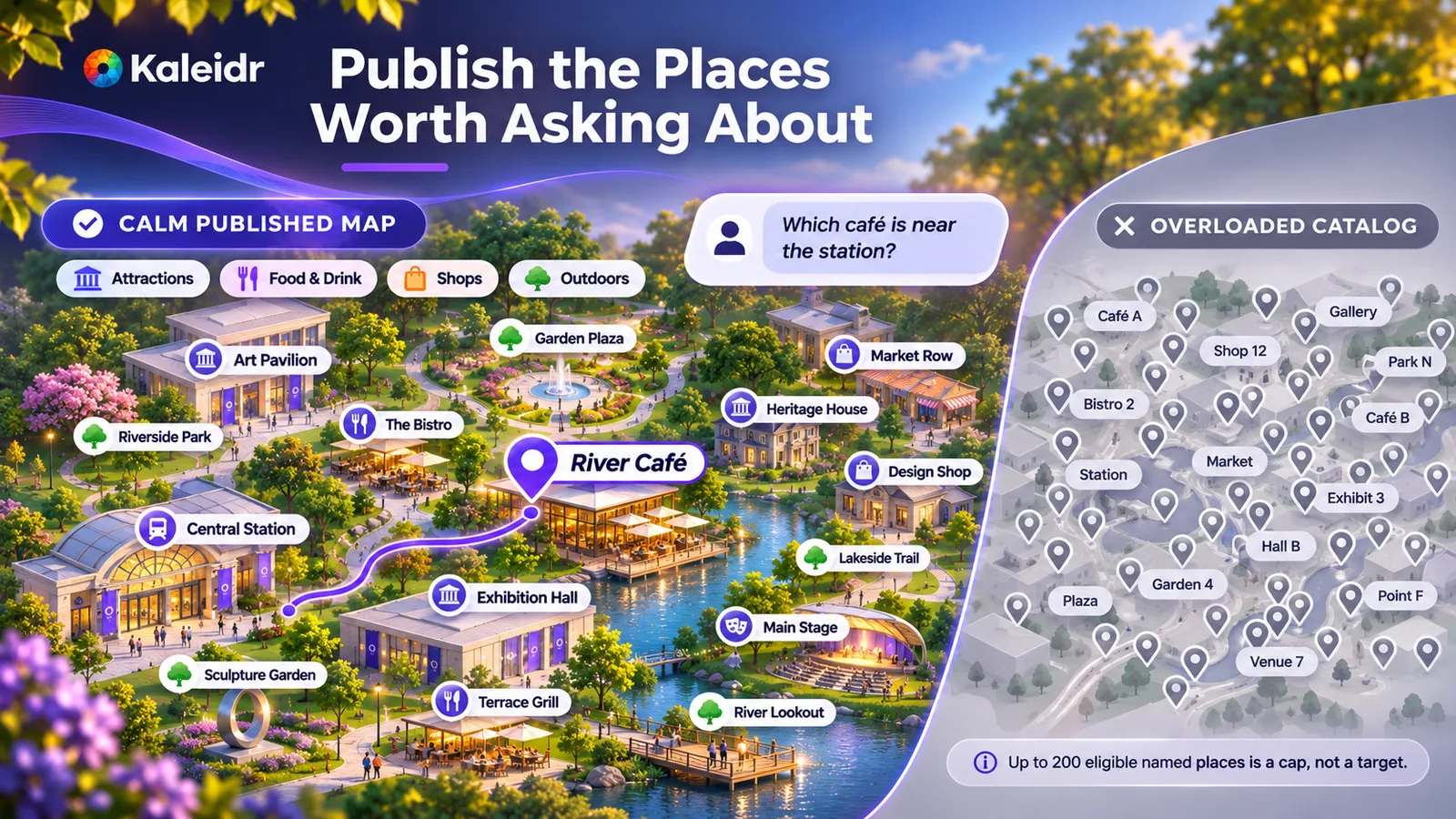
A curated collection of well-labeled places is generally easier to explore than a dense, undifferentiated set of markers. This illustration is conceptual and does not represent an accuracy or speed comparison.
How to enable AI map chat in Kaleidr Studio
You can add AI map chat to a published map without creating a separate application or placing an API key in your website code.
- Prepare your map. Create or open a map in Kaleidr Studio. Check that the places you want visitors to discover have public-facing names and point coordinates.
- Choose the chat experience. In the Kaleidr AI tile, enable Control Tower for the Ask Kaleidr panel, Popup Window for place cards with chat, or both.
- Publish the map. Open Publish & embed and select Go Live.
- Configure sharing and embedding. In Share > Embed, choose Any domain or specify the domains authorized to display the map. Domain restrictions apply to both the map and its AI features. Use the available iframe or viewer element for your website.
- Test with a map-specific question. Ask about a named place that is unique to your published map. Confirm that the answer references the correct location and identifies the map as its source before encouraging visitors to use the feature.
The viewer and chat elements reference the same published map ID. Share links can also expose the AI experience while the map remains published, using the settings captured in the link's snapshot. When you disable a chat setting, unpublish the map, or remove an authorized domain, previously open pages stop accepting questions within five minutes. A fresh page load reflects the updated access and display settings.
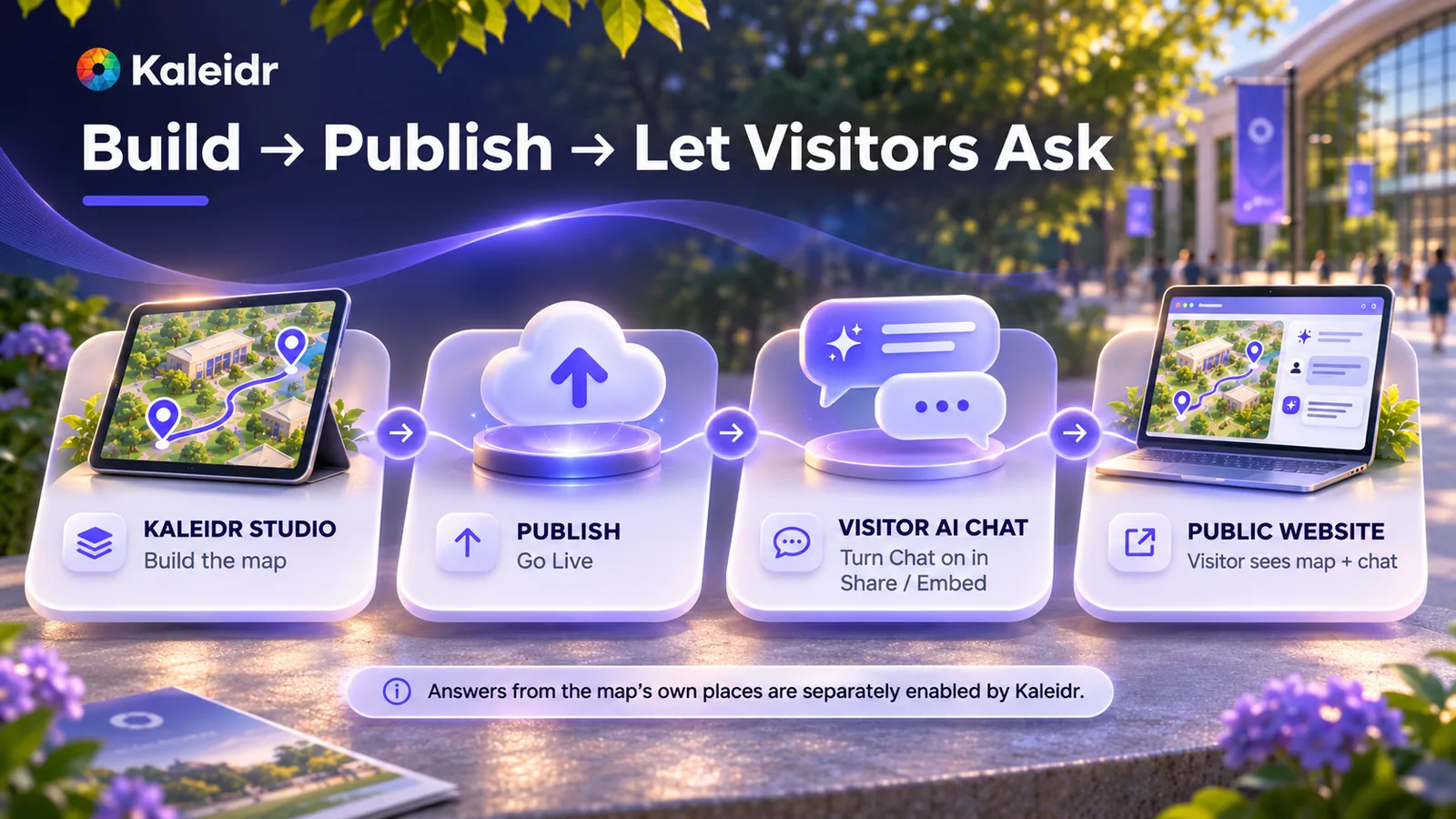
Create the map in Studio, enable the desired chat controls, publish it with Go Live, and share or embed it. Map-based place answers are managed separately by Kaleidr and do not have an individual Studio switch.
How is AI map chat usage billed?
The organization that publishes the map pays for visitor questions. Each question uses AI credits from the organization's existing Kaleidr AI allowance, regardless of plan, including Free. There is no separate per-map credit allocation, so published-map questions share the same available credits as the organization's other Kaleidr AI activity.
Visitors do not need an account or API key, and they cannot see the map owner's plan, credit balance, or remaining allowance. Publishers can review usage through their billing page. If you embed a map on your own website, consider restricting the allowed domains to control where your organization's AI credits can be used.
Public map data versus private business data
AI map chat is designed to help visitors explore information published on a map. It should not be treated as a private business-data assistant or a connection to operational systems. The panel does not read unpublished files, inventory levels, booking availability, live vehicle positions, or CRM records. A dataset included on the published map is public in full, every column, not only the name, category, and description the panel may quote.
Kaleidr distinguishes between datasets included on a map and private business data uploaded for AI-powered answers. Map datasets are available across plans, while the separate business-data upload capability for AI answers is an Enterprise feature. A visitor's published-map chat uses eligible named locations from the public map rather than automatically accessing an organization's private business records. See Answers from your own data for the distinction (Kaleidr, 2026). Before publishing, review the names, categories, and descriptions associated with your locations. If information is confidential, operational, or intended only for employees, do not place it in public map fields.
Get started with AI map chat
Start with a useful map: select the places visitors should discover, give each one a clear name and location, and add concise descriptions where they help. Enable the appropriate chat controls, publish the map, and configure where it can be embedded. Finally, test a question about a location unique to your map to confirm that the experience works as intended. Explore Kaleidr Studio to create a conversational map, or read our guide on how to embed an interactive map on a website when you're ready to publish.
Note: Kaleidr uses AI-assisted tools for image creation, content refinement, and research throughout its creative and development workflows.
FAQs
What is AI map chat?
AI map chat is the Ask Kaleidr experience on maps published from Kaleidr Studio. It allows visitors to ask questions and explore relevant locations without leaving the map.
Can visitors ask about places shown on a published map?
Yes, when map-based place answers are available. The feature is currently enabled by default for published maps and share links, although Kaleidr can disable it platform-wide. If disabled, the chat can still respond using general knowledge without reading the map's places.
Does AI map chat recognize lines or areas?
No. It uses eligible named points, including markers, points defined directly on the map, and dataset rows with a mapped Name column and point coordinates. Lines and areas can remain visible but are not treated as conversational places.
How many places can AI map chat reference?
Up to 200 named points per published map, processed in this order: markers, directly defined map points, and dataset rows. Additional locations are not included in the chat's map-place information.
Do visitors need a Kaleidr account or API key?
No. Visitors can use the enabled chat on a published map without signing in. The website does not need to expose an API key, and the organization that owns the map is responsible for AI usage.
Can AI map chat access private business data?
Not through the published-map place feature. It uses eligible named points included in the published map. Columns in a dataset that is already on the published map are public to visitors, even when the panel does not read them. Uploading private business data for AI-powered answers is a separate Enterprise capability.
Can I restrict which websites embed the map?
Yes. In Share > Embed, you can allow any domain or specify approved domains. The restrictions apply to the published map and its AI features, and an allowed domain includes its subdomains.
References
- Kaleidr Developer Docs. Kaleidr AI on a published map. Publishing controls, keyless embedding, map-owner billing, named-point eligibility, the 200-place limit, and the availability of map-based answers. Accessed November 5, 2026. https://docs.kaleidr.com/chat/published-map-chat
- Kaleidr Developer Docs. Answers from your own data. Datasets included on maps and the separate Enterprise business-data capability. Accessed November 5, 2026. https://docs.kaleidr.com/your-data/overview
- Kaleidr. Embed Interactive Map on a Website. Related guidance for publishing a map on a website. Accessed November 5, 2026. https://kaleidr.com/blog/how-to-embed-interactive-map-on-a-website
References in BibTeX
@misc{kaleidr_published_map_chat_2026,
  title  = {Kaleidr AI on a published map},
  author = {{Kaleidr}},
  year   = {2026},
  url    = {https://docs.kaleidr.com/chat/published-map-chat}
}

@misc{kaleidr_answers_from_your_own_data_2026,
  title  = {Answers from your own data},
  author = {{Kaleidr}},
  year   = {2026},
  url    = {https://docs.kaleidr.com/your-data/overview}
}

@misc{kaleidr_embed_interactive_map_2026,
  title  = {Embed Interactive Map on a Website},
  author = {{Kaleidr}},
  year   = {2026},
  url    = {https://kaleidr.com/blog/how-to-embed-interactive-map-on-a-website}
}